

Download IZArc2Go – Portable Archive Manager for Windows, Mac, Android & iOS
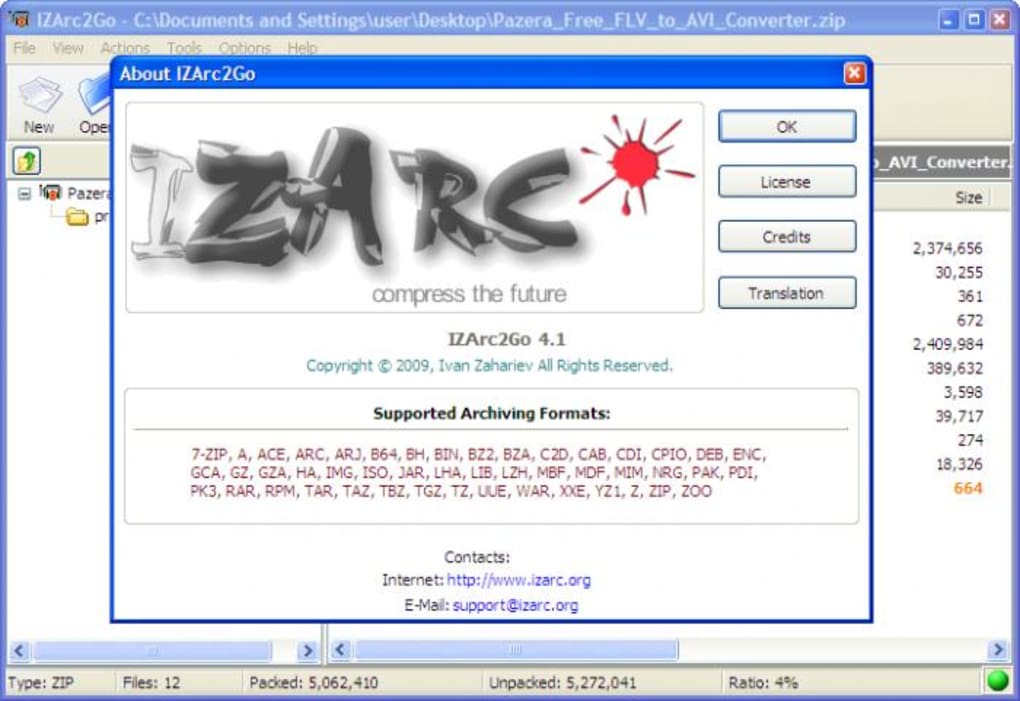
IZArc2Go is a lightweight, portable, and secure compression tool that allows you to effortlessly manage over 20 file formats, including ZIP, RAR, 7-ZIP, ACE, TAR, ISO, and LZH. Designed for users who value convenience and privacy, this free software doesn’t require installation, making it perfect for use on public computers, USB drives, or shared devices. Whether you're compressing large datasets, sharing project files, or extracting archives on the go, IZArc2Go delivers reliable performance across multiple platforms.
With built-in encryption, multi-volume support, and the ability to create self-extracting EXE files, this tool stands out as one of the most versatile archiving solutions available today. The latest update improves stability, fixes critical bugs in file handling, and enhances compatibility with modern archive types, especially 7-ZIP archives with encrypted filenames and LZMA2 compression. Download IZArc2Go now and enjoy a seamless, secure, and fast way to compress and decompress files without leaving traces behind.
Key Features of IZArc2Go
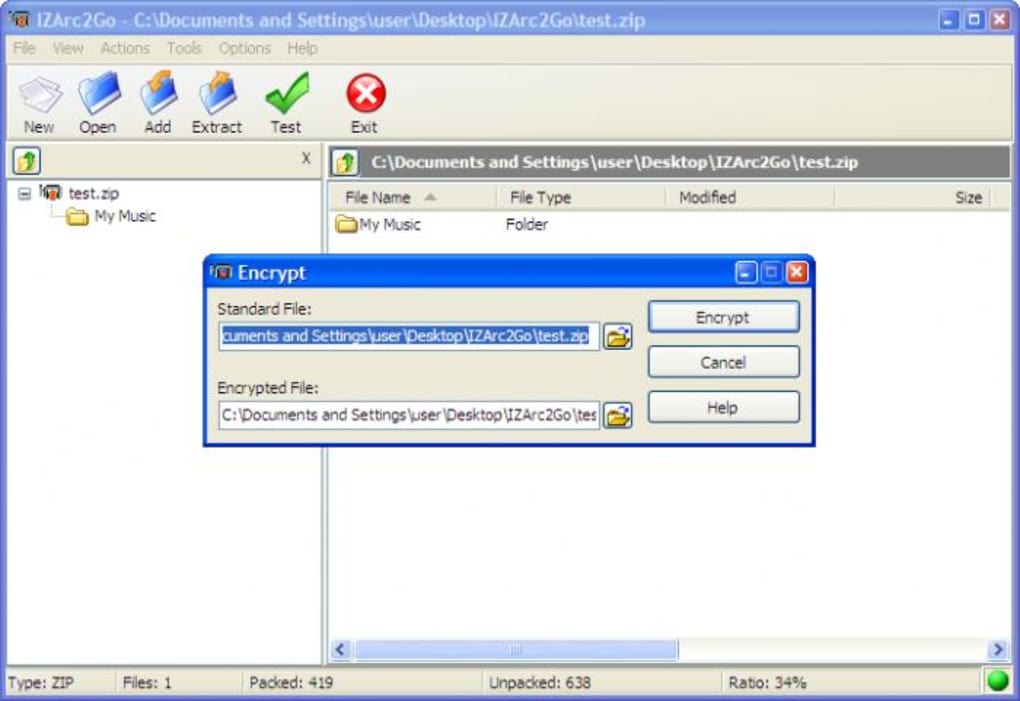
IZArc2Go offers a comprehensive suite of features that make it a top choice among portable archiving tools. One of its standout advantages is support for a vast range of compression formats—over 20 in total—ensuring you can open and extract files regardless of the archive type. Whether you're dealing with legacy formats like ACE or modern standards like 7-ZIP, IZArc2Go handles them all with ease. The software also supports advanced features such as password protection, allowing you to encrypt sensitive files with strong encryption algorithms. This is particularly useful when sharing confidential documents or storing private data.
Another powerful feature is the ability to create self-extracting EXE files. Simply compress your data into an archive and convert it into an executable file that anyone can run—even those without any compression software. This is ideal for sending files to clients or colleagues who may not have tools like WinRAR or 7-Zip installed. Additionally, IZArc2Go supports multi-volume archives, which is essential when you need to split large files into smaller parts for email or cloud upload.
The tool also includes a built-in virus scanner integration, ensuring that extracted files are safe before opening. This adds a crucial layer of security, especially when handling archives downloaded from untrusted sources. The drag-and-drop interface makes it intuitive to use—just drop your archive onto the app window, and it opens instantly. For advanced users, the command-line support and silent installation options (via /ArcTypes=ALL) make automation and deployment easier in enterprise environments.
How to Use IZArc2Go: Installation & Setup Guide
One of the most appealing aspects of IZArc2Go is its portability. Unlike traditional software that requires installation and leaves behind registry entries or temporary files, IZArc2Go runs directly from a USB drive, external hard drive, or even your local desktop folder—no setup needed. To get started, simply download the latest version from the official website, extract the ZIP file to your preferred location, and launch IZArc2Go.exe. That’s it—you’re ready to use it immediately.
Using the tool is straightforward. To extract an archive, open IZArc2Go and either use the top menu to browse and select the file, or simply drag and drop the archive onto the application window. The interface displays a clear file list with details like size, type, and modification date. You can select individual files or entire folders for extraction and choose the destination folder with ease. If the archive is password-protected, a prompt will appear to enter the correct password.
Creating new archives is equally simple. Click on “Create Archive,” select the files or folders you want to compress, choose the desired format (ZIP, 7-ZIP, RAR, etc.), and set options like compression level, password protection, and multi-volume splitting. Once configured, click “Create,” and the process begins instantly. The tool also allows you to customize the archive name and location. For advanced users, the silent installation mode with the /ArcTypes=ALL switch enables unattended setup, ideal for IT administrators deploying the tool across multiple machines.
Compatibility & System Requirements
IZArc2Go is designed to be highly compatible across different operating systems and environments. It runs natively on Windows 7, 8, 10, and 11, making it a reliable choice for both personal and professional users. While the primary version is built for Windows, portable versions are also available for Mac and Android devices, allowing users to manage archives on the go. For iOS users, a lightweight web-based version is accessible via browser, ensuring cross-platform consistency.
Because it’s a portable application, IZArc2Go doesn’t require administrator rights or system-level access. This makes it perfect for use in restricted environments such as school labs, office computers, or public kiosks. The software is lightweight—typically under 10MB—so it loads quickly and consumes minimal system resources. It works seamlessly on low-end hardware and doesn’t slow down your device during compression or extraction.
Additionally, IZArc2Go supports the latest file formats and encryption standards. The recent update includes fixes for handling special characters in filenames, improved support for 7-ZIP archives with encrypted filenames, and better path handling (switching from DOS-style \ to Unix-style / where appropriate). These enhancements ensure better compatibility with archives created on different platforms, especially when working with cross-platform projects.
Pros & Cons of IZArc2Go
- Pros:
- Free and open-source with no hidden costs
- Portable—no installation, no traces left behind
- Supports over 20 file formats including 7-ZIP, RAR, ZIP, ISO, TAR, ACE, LZH
- Creates self-extracting EXE files for easy sharing
- Strong encryption and password protection
- Multi-volume archive support for large files
- Drag-and-drop interface for fast operation
- Lightweight and fast performance
- Integrated virus scanning for safer extraction
- Cons:
- Lacks integration with Windows Explorer context menu
- No native Mac or Linux GUI (though portable versions exist)
- Interface is slightly outdated compared to modern apps
- Limited customization options for advanced users
- Occasional lag when handling extremely large archives
Frequently Asked Questions (FAQ)
Is IZArc2Go completely free to use?
Yes, IZArc2Go is 100% free to download and use. There are no trial periods, subscription fees, or hidden charges. The software is open-source and available under a permissive license, making it ideal for personal, educational, and business use.
Can I use IZArc2Go on a Mac or Linux computer?
While the primary version is built for Windows, portable versions are available for Mac and Android. For Linux users, a command-line version can be run via Wine or through a compatible environment. The tool is cross-platform compatible, though the GUI experience may vary slightly across systems.
Why doesn’t IZArc2Go integrate with Windows Explorer?
IZArc2Go is designed as a portable application to avoid leaving traces on the host system. As a result, it does not register file associations or add context menu entries in Windows Explorer. However, you can still open archives by dragging them onto the app window or using the file menu.
How do I create a self-extracting archive with IZArc2Go?
To create a self-extracting EXE file, open IZArc2Go, select the files to compress, choose “Create Archive,” select the format as “EXE,” and enable the “Self-extracting archive” option. You can also set a password and choose the extraction path. Once created, the EXE file can be run on any Windows PC without needing additional software.
Does IZArc2Go support 7-ZIP archives with encrypted filenames?
Yes, the latest version of IZArc2Go includes full support for 7-ZIP archives with encrypted filenames and the LZMA2 compression method. This ensures compatibility with modern 7-ZIP files created using advanced encryption and compression settings.
Final Verdict & Call to Action
IZArc2Go stands out as one of the most versatile and secure portable archiving tools available today. Its ability to handle dozens of formats, create encrypted and self-extracting archives, and run without installation makes it a must-have for anyone who frequently works with compressed files. While it lacks Windows Explorer integration, its portability, lightweight design, and robust feature set more than compensate for this minor drawback.
Whether you're a student, professional, or IT administrator, IZArc2Go offers a reliable, free, and secure way to compress and extract files across multiple devices. With regular updates, improved bug fixes, and enhanced compatibility, it continues to evolve and meet modern user needs.
Download IZArc2Go today and take control of your archives—anytime, anywhere, without installation.







